1.3 Project Export and Import Operations
Exporting Your Project
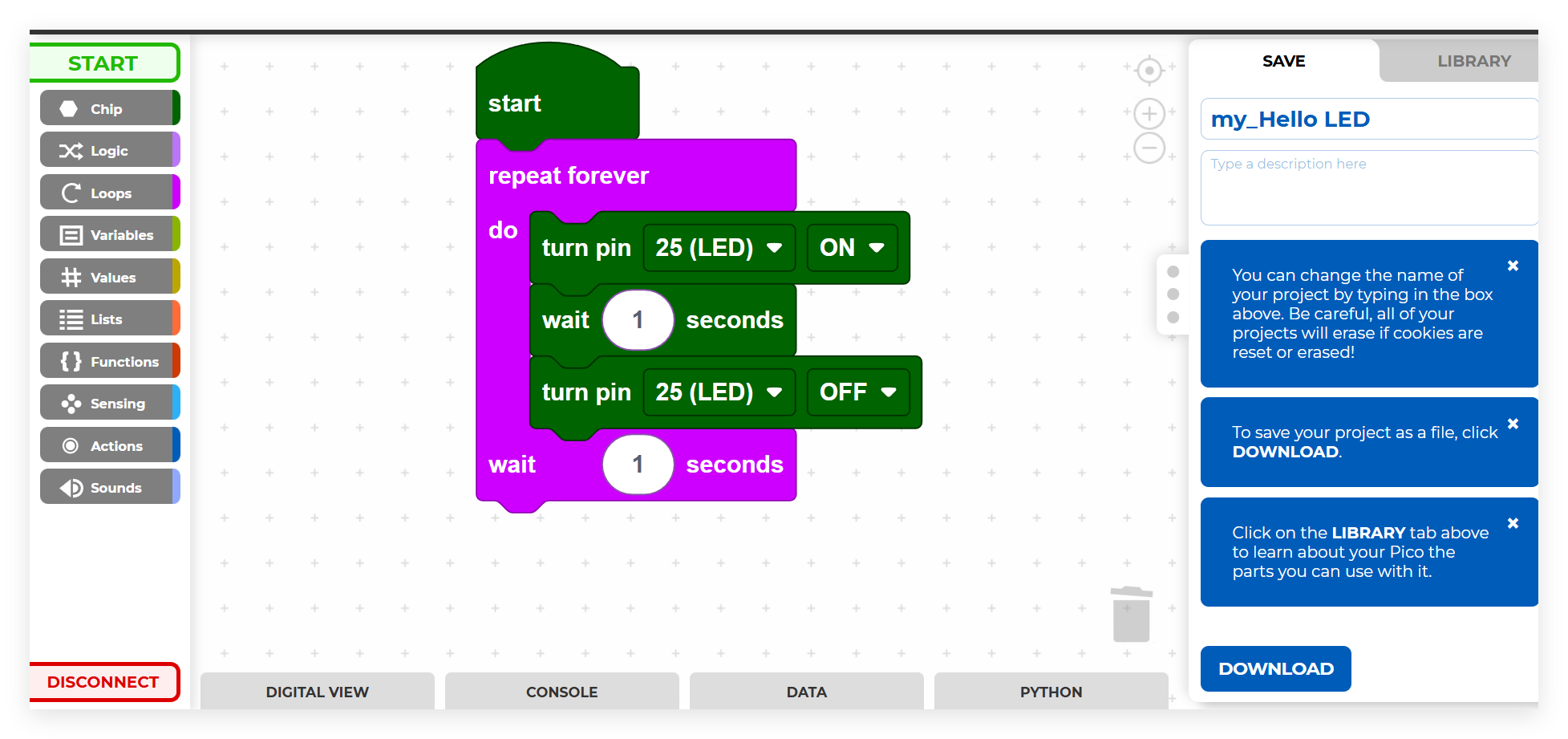
Once you’ve completed your programming work, modify the project title and description as needed, then select the Download option to export your project for local storage or distribution.
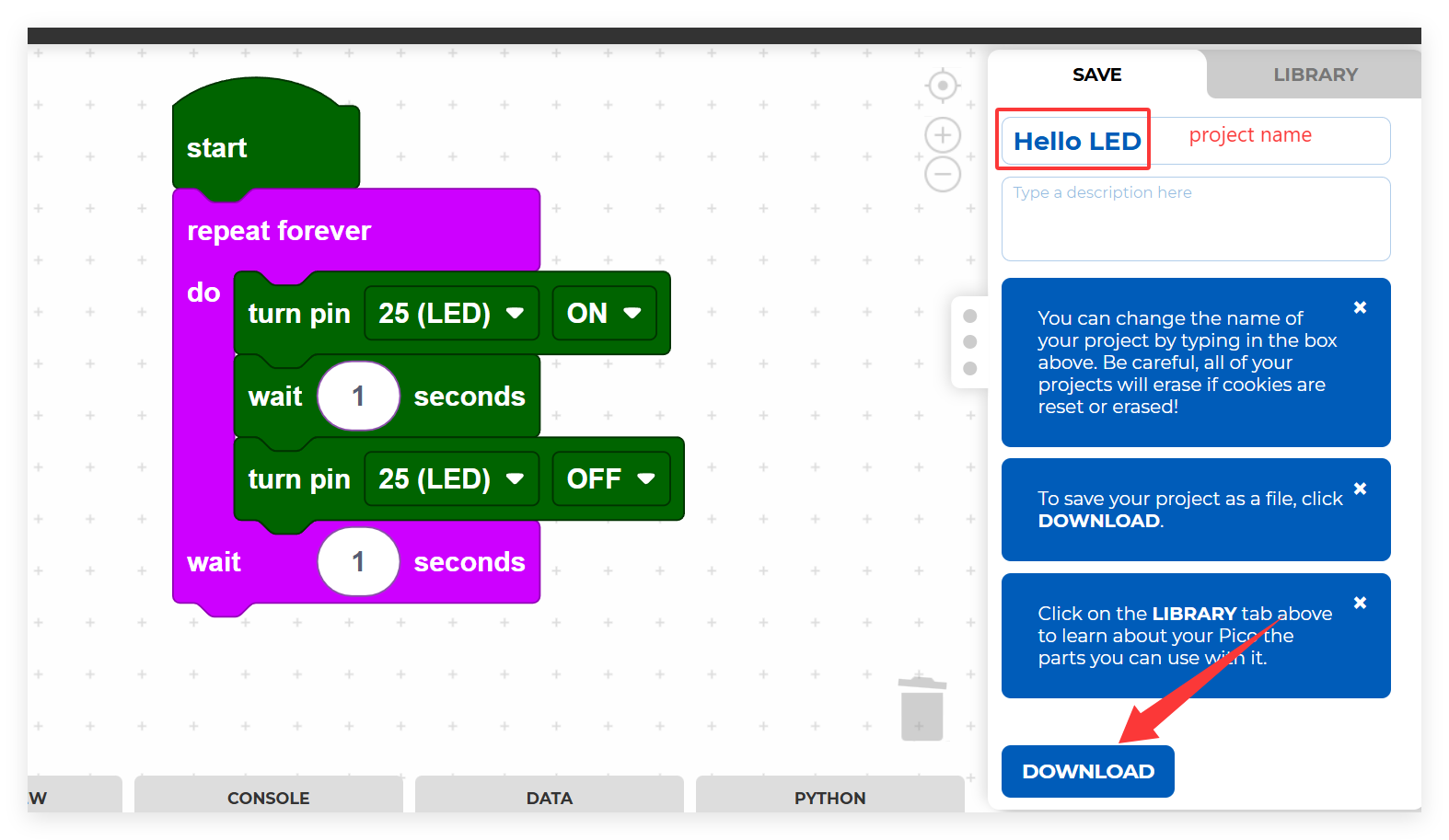
Specify your desired filename and click the Download button once more to export your project as a .png file format.

Loading Existing Projects
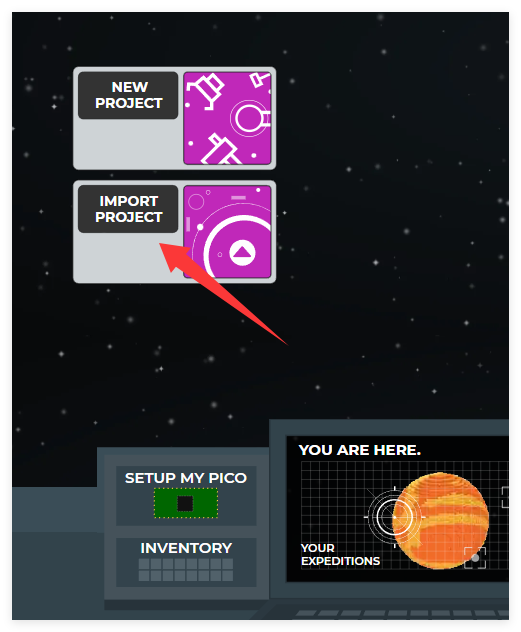
From the Piper Make main interface, select Import Project.
Browse to locate the .png file within the Ultimate-Starter-Kit-for-Pico-W\Piper_Make directory and proceed with Import.
Ensure you have first obtained the Ultimate-Starter-Kit-for-Pico-W package.
Alternatively, access the repository directly at Ultimate-Starter-Kit-for-Pico-W - GitHub.
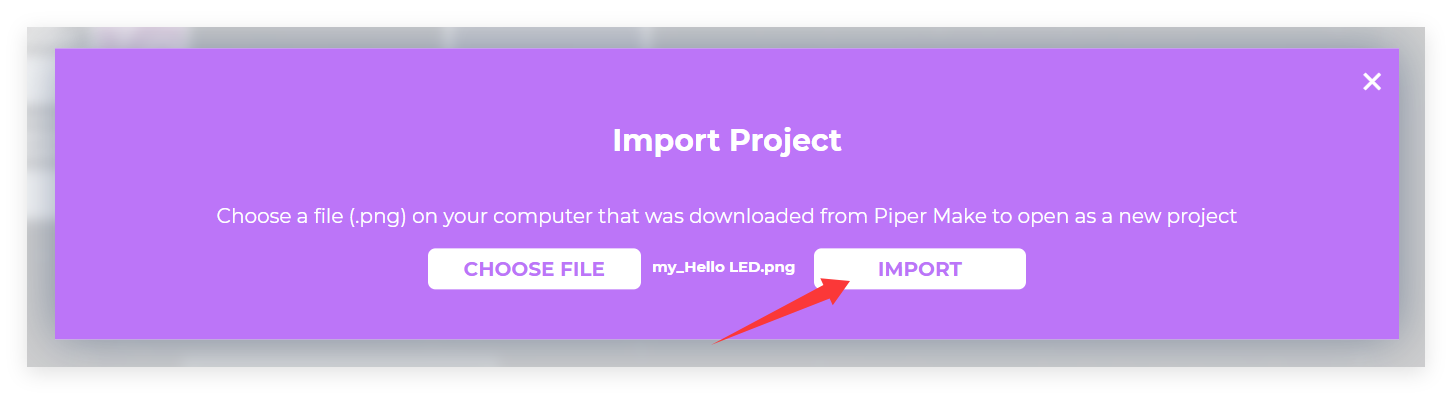
Your imported project will now be visible and accessible within your workspace.