2.11 Proximity Detection Alert System
This project constructs a vehicle backup assistance system utilizing ultrasonic distance measurement and auditory warning signals to identify obstacles and deliver proximity-based feedback.
Ultrasonic distance sensors operate by transmitting high-frequency sound pulses and calculating the elapsed time for echo return from target objects. This temporal measurement enables precise distance computation through sound velocity calculations.
Required Components
Raspberry Pi Pico W x1
MicroUSB cable x1
830 Tie-Points Breadboard x1
Ultrasonic Sensor HC-SR04 x1
Active Buzzer x1
Transistor S8050 x1
Resistor 1KΩ x1
Resistor 10KΩ x1
Capacitor 104 x1
Jumper Wire Several
Circuit Configuration
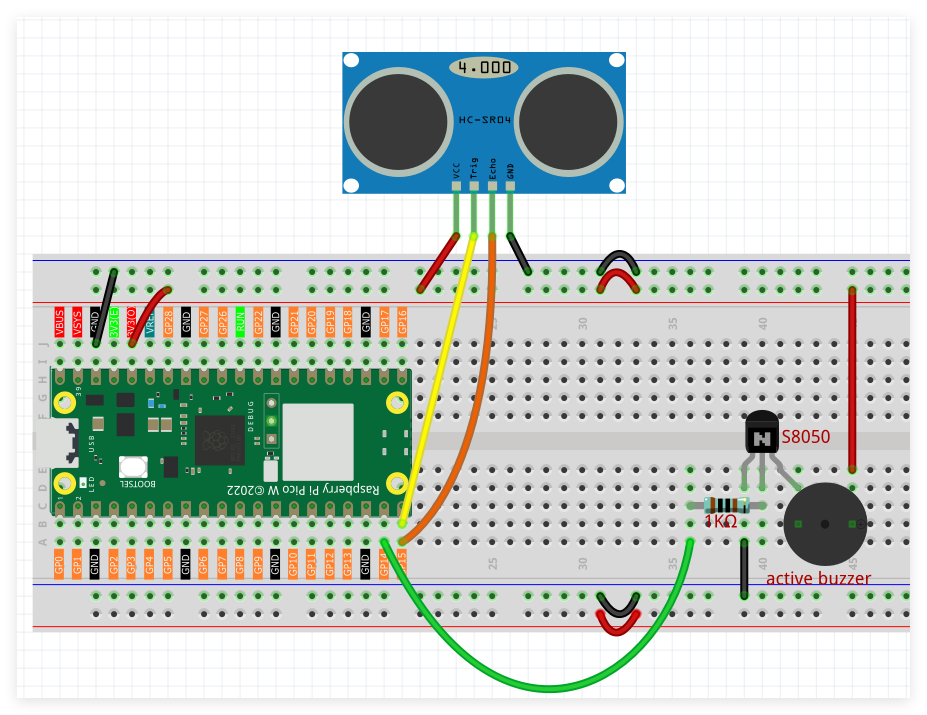
Ultrasonic sensor trigger pin interfaces with digital output GP14.
Echo reception pin connects to digital input GP15.
Audio alert buzzer links to digital output GP13.
Programming Implementation
Note
Follow the visual programming guide below using drag-and-drop techniques.
Load
2.11_Reversing_Radar.pngfrom the directoryUltimate-Starter-Kit-for-Pico-W\Piper_Make. For comprehensive guidance, see Loading Existing Projects.
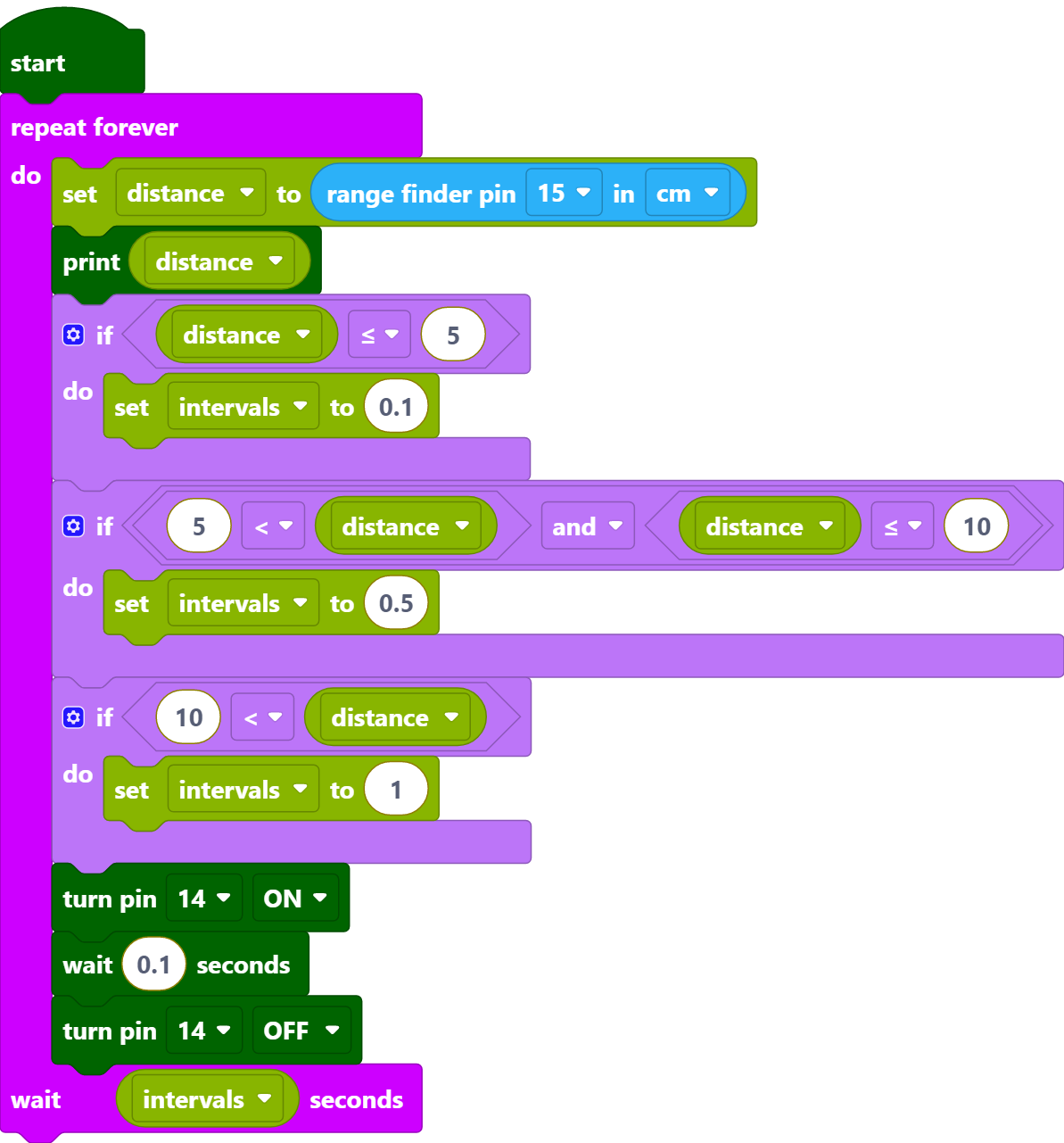
Upon Pico W connection, press the Start button to begin program execution. Position various objects at different distances from the ultrasonic sensor to observe buzzer tone variations corresponding to object proximity levels.
How it Works?
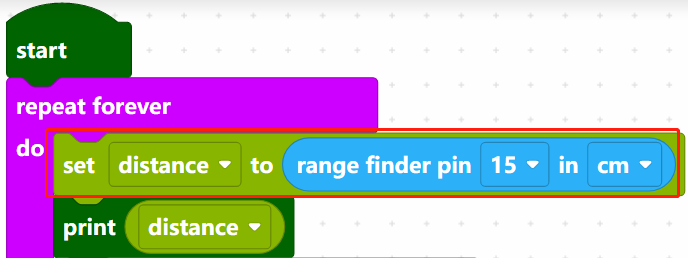
Read the distance (in cm) of the ultrasonic detection, and store it in the variable [distance].
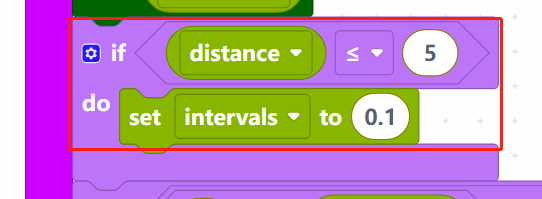
When distance is less than or equal to 5, set the variable intervals to 0.1s. The variable [intervals] is the interval between buzzer sounds.
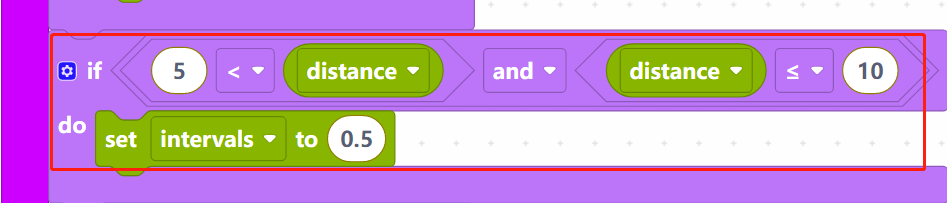
When distance is greater than 5 and less than or equal to 10, set the [intervals] to 0.5s.
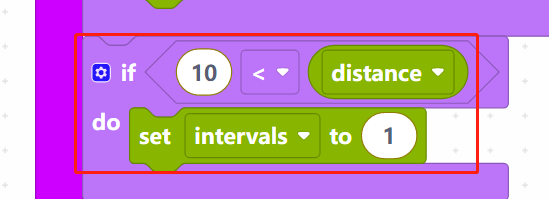
When distance is greater than 10, set the [intervals] time to 1s.
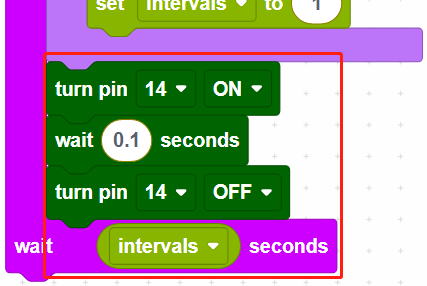
Finally, make the buzzer sound every [intervals] seconds.