7.2 Global Light Synchronization - CheerLights Project
🌍 Connect Your LEDs to the World!
Join the magical CheerLights community - a global network where thousands of LED lights around the world change colors together in perfect synchronization! This isn’t just a project; it’s a way to feel connected to people everywhere.
✨ What Makes This Special: - Global synchronization: Your LEDs change with lights in homes, offices, and makerspaces worldwide - Real-time interaction: When someone changes the color, everyone sees it within seconds - Community spirit: Place it in your workspace as a reminder that you’re part of a global maker community - Always evolving: The colors change throughout the day as people around the world participate
🎨 How to Participate: - Twitter: Tweet @cheerlights with a color name (like “red”, “blue”, “green”) - Discord: Use the /cheerlights command in the community Discord server - Just watch: Enjoy the spontaneous color changes created by the global community
💡 Perfect For: - Office ambiance that connects you to the world - Learning about IoT, APIs, and global data synchronization - Creating a conversation piece that tells a story - Understanding how thousands of devices can work together seamlessly
Component List
Raspberry Pi Pico W x1
MicroUSB cable x1
830 Tie-Points Breadboard x1
RGB 8 LED Strip x1
Li-po Charger Module x1
Battery Holder x1
Jumper Wire Several
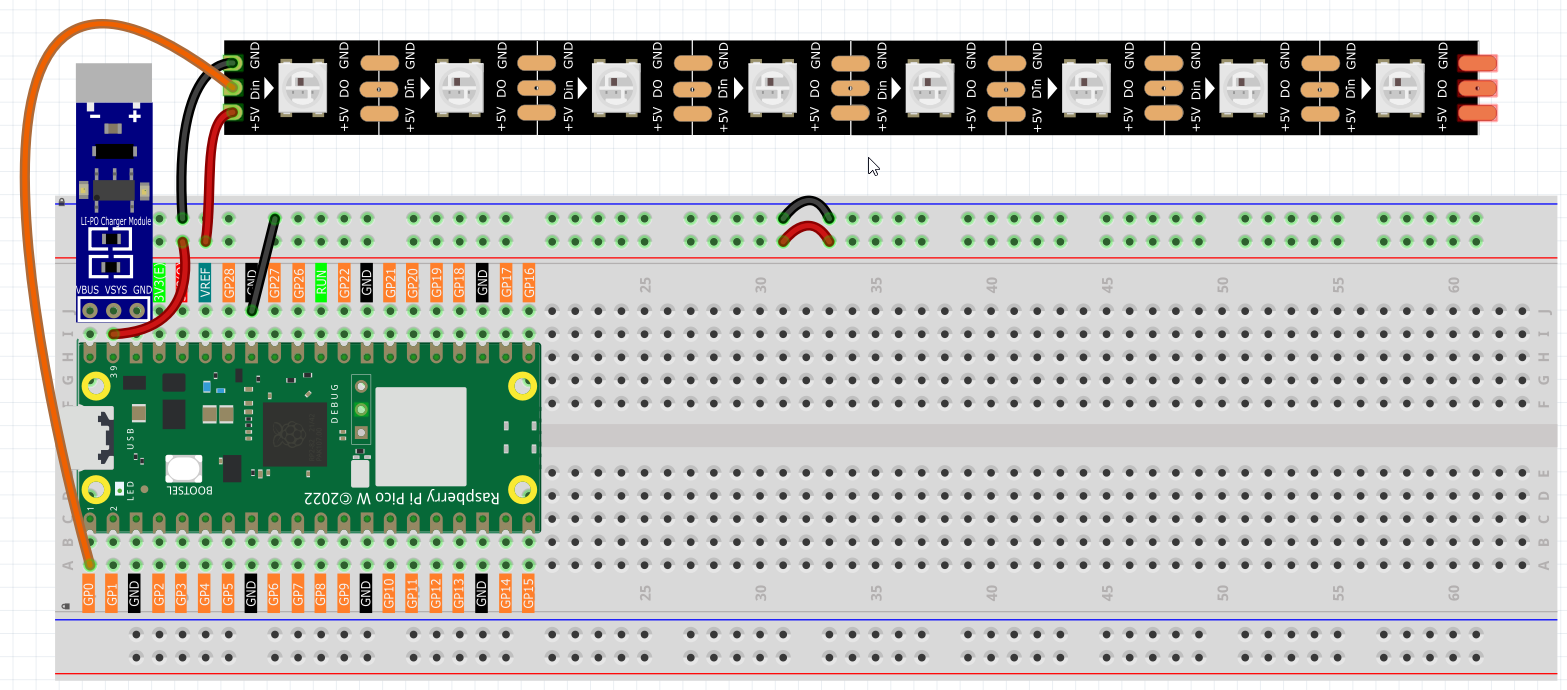
Connect
Warning
Make sure your Li-po Charger Module is connected as shown in the diagram. Otherwise, a short circuit will likely damage your battery and circuitry.
Code
Switch the path to the folder where you downloaded the code package before and open the
2cheer_light.pyfile under the path ofUltimate-Starter-Kit-for-Pico-W/1.Python/iot.To run the script, click the Run current script button or press F5, then you will see the connected prompt, the IP and the color (0xffC0CB is Pink) in the Shell.
Note
Before running the code, you need to make sure you have
do_connect.pyandsecrets.pyscripts in your Pico W.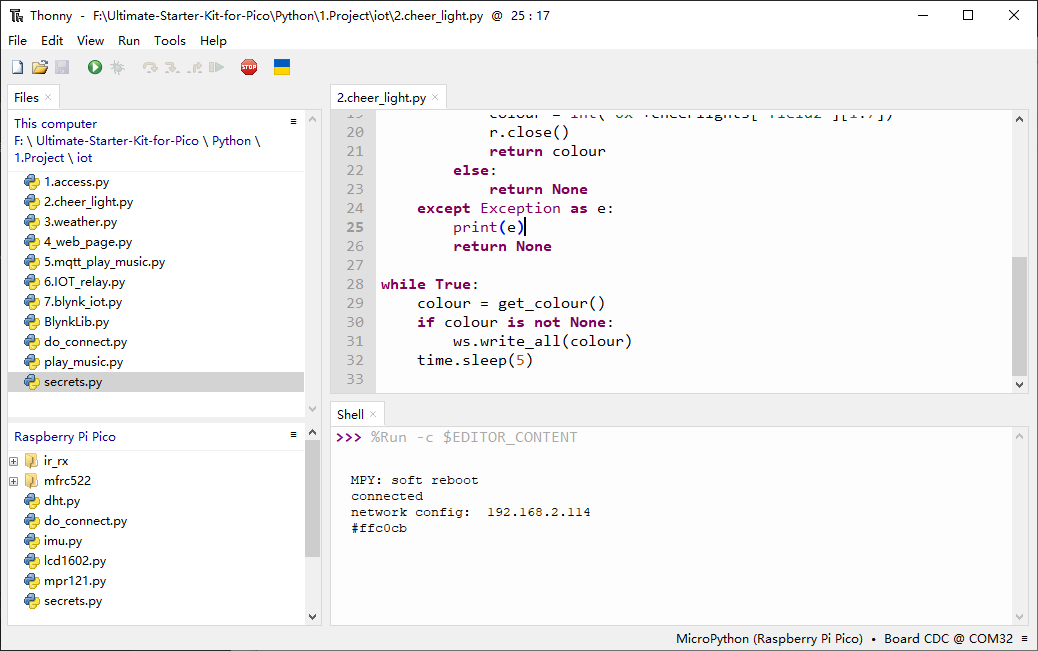
After the script runs, the WS2812 RGB strip will show a color, sometimes the color will change.
If you want to run this script on boot, you need to save it to the Raspberry Pi Pico W as
main.py, as follows.Stop the script from running and click File -> Save as.
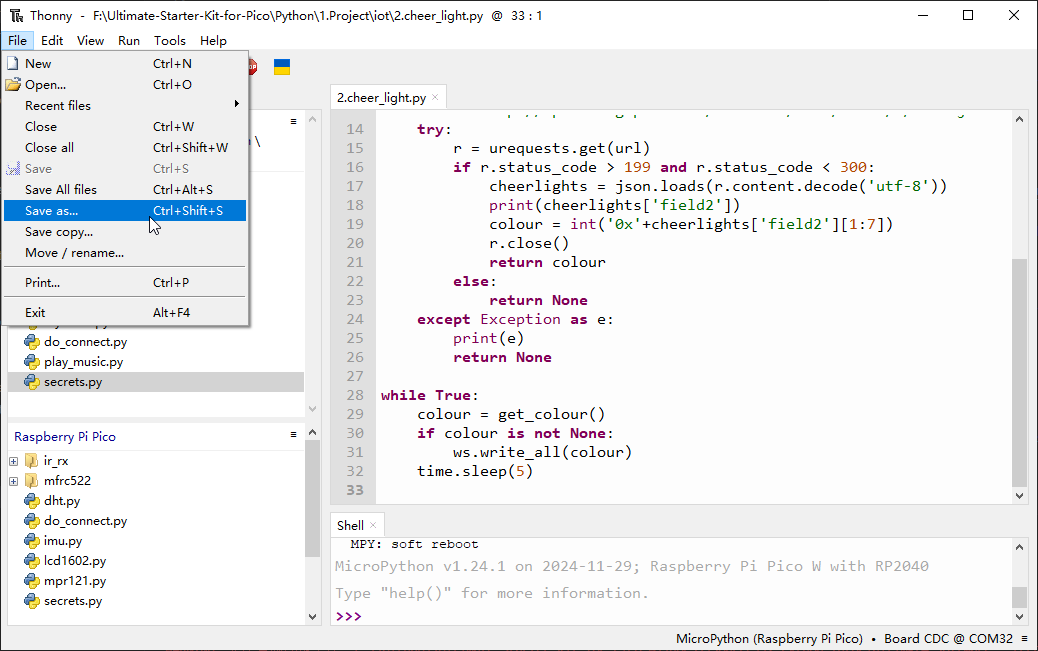
Select Raspberry Pi Pico in the popup window that appears.
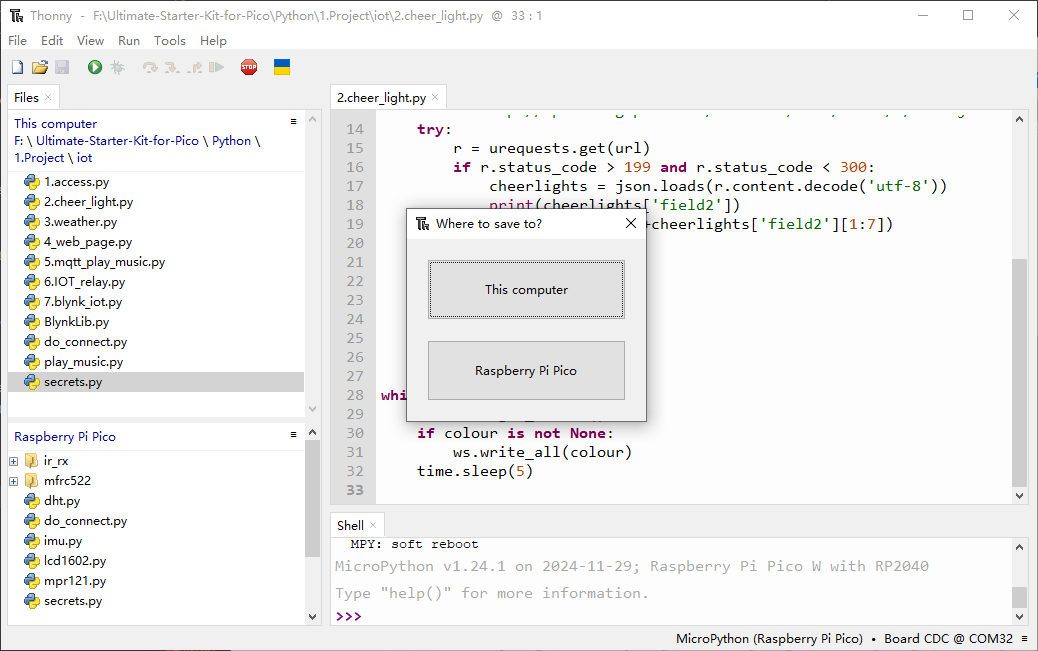
Set the file name to
main.py. A prompt will appear if the same file already exists on your Pico W.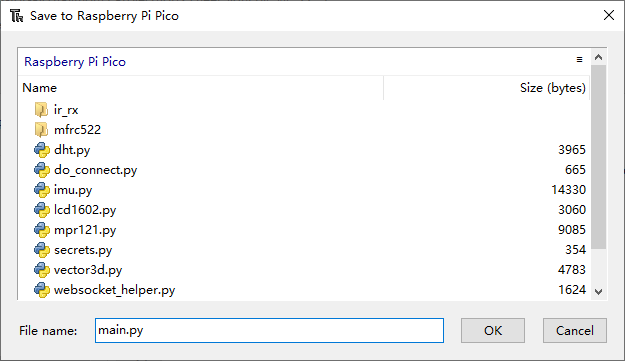
You can now unplug the USB cable and use the Li-po Charger Module to power the Raspberry Pi Pico W. Put it in a corner and it will work automatically.
🔧 How the Global Synchronization Works
🌐 Step 1: Internet Connection The Pico W connects to your Wi-Fi using the professional connection modules from Chapter 7.1:
from do_connect import do_connect
do_connect()
💡 Step 2: LED Strip Setup Configure the WS2812 RGB strip for beautiful color displays:
from ws2812 import WS2812
import machine
led_strip = WS2812(machine.Pin(0), 8)  # Pin 0, 8 LEDs
📡 Step 3: The CheerLights API Magic The global CheerLights system uses a ThingSpeak API that provides real-time color data in JSON format:
API URL: http://api.thingspeak.com/channels/1417/field/2/last.json
Example Response: .. code-block:: json
{“created_at”:”2024-01-15T14:30:22Z”,”entry_id”:912456,”field2”:”#ff00ff”}
The field2 contains the current global color in hexadecimal format (like #ff00ff for magenta).
⚡ Step 4: Professional Color Fetching Function The improved code includes robust error handling and timeout protection:
def get_color():
    """Get current CheerLights color with professional error handling"""
    response = None
    try:
        print("Getting new color...")
        response = urequests.get(API_URL, timeout=10)

        if response.status_code == 200:
            data = json.loads(response.content.decode('utf-8'))
            hex_color = data['field2']
            print(f"New color: {hex_color}")

            # Convert hex string to integer (remove # symbol)
            color = int('0x' + hex_color[1:7], 16)
            return color
        else:
            print(f"HTTP error: status {response.status_code}")
            return None

    except OSError as e:
        print(f"Network error: {e}")
        return None
    except Exception as e:
        print(f"Unexpected error: {e}")
        return None
    finally:
        # Always clean up resources
        if response:
            try:
                response.close()
            except:
                pass
🔄 Step 5: Intelligent Main Loop The system runs continuously with smart error recovery:
# Main loop with error recovery
consecutive_errors = 0
MAX_ERRORS = 3

while True:
    try:
        color = get_color()

        if color is not None:
            led_strip.write_all(color)  # Update all LEDs
            print("LEDs updated!")
            consecutive_errors = 0
        else:
            consecutive_errors += 1
            # Auto-reconnect WiFi after multiple failures
            if consecutive_errors >= MAX_ERRORS:
                print("Attempting WiFi reconnect...")
                do_connect()
                consecutive_errors = 0

        time.sleep(10)  # Check every 10 seconds

    except KeyboardInterrupt:
        break
    except Exception as e:
        print(f"Error: {e}")
        time.sleep(10)
✨ Key Improvements in This Version: - Faster updates: Checks every 10 seconds instead of 60 - Timeout protection: Prevents hanging on slow networks - Auto-recovery: Automatically reconnects WiFi after failures - Resource management: Properly closes HTTP connections - Error tracking: Counts consecutive failures for smart recovery - Professional logging: Clear status messages for debugging
🎮 How to Control Global Lights via Discord
Want to change the color of thousands of LEDs around the world? Here’s how to join the interactive community:
Step 1: Join the CheerLights Discord Community
Open the invitation link: https://discord.com/invite/uFDt7xNFKP
Accept the invitation to join the global CheerLights community (works on both computer and mobile)

Step 2: Use the CheerLights Command
Enter the community and click on the “General” channel
Type `/cheerlights` in the chat box
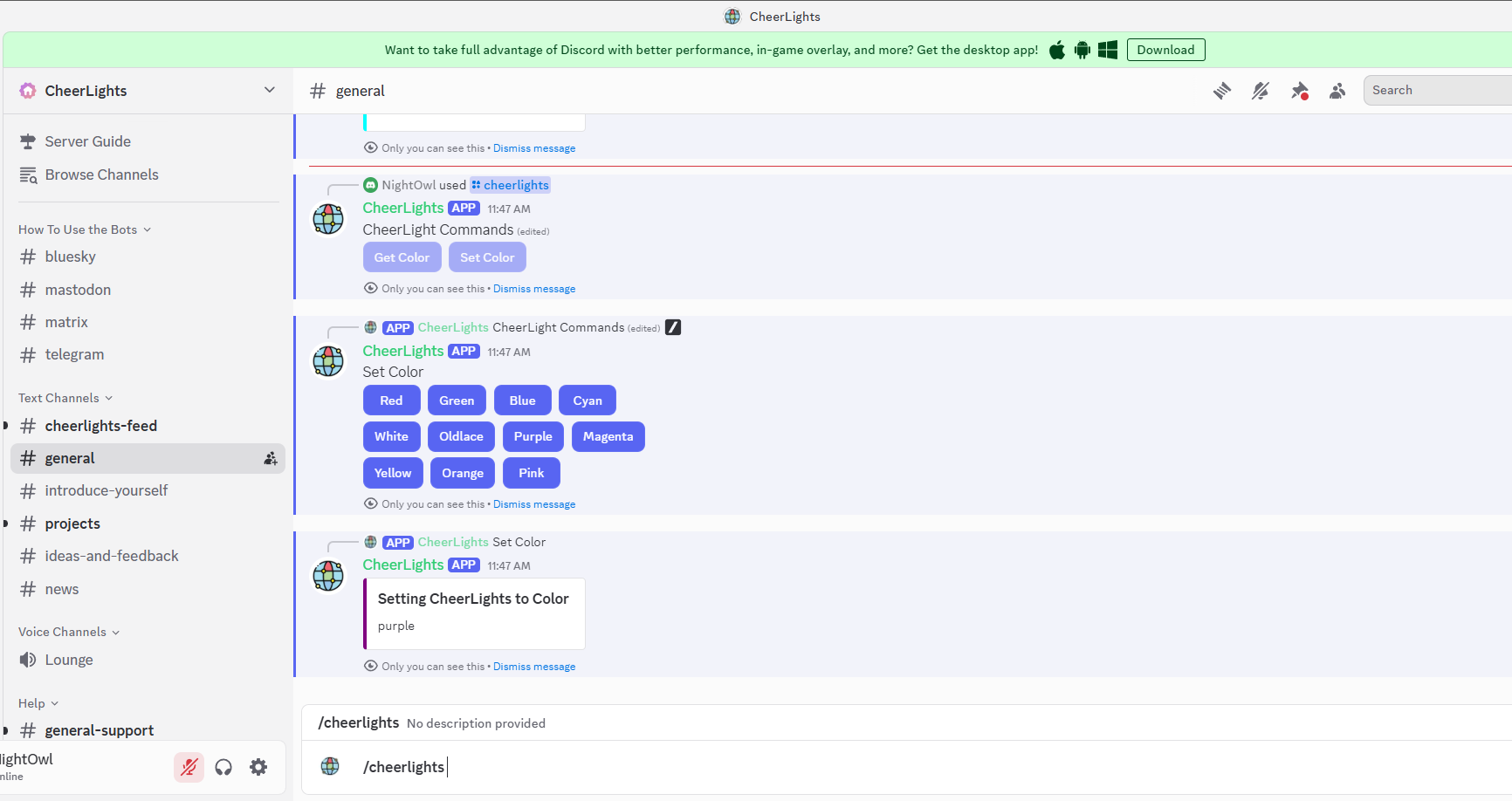
Step 3: Choose Your Global Color
Select “set color” from the popup menu
Pick your favorite color from the available options
Wait a few moments - you’ll see the color change on your LED strip!
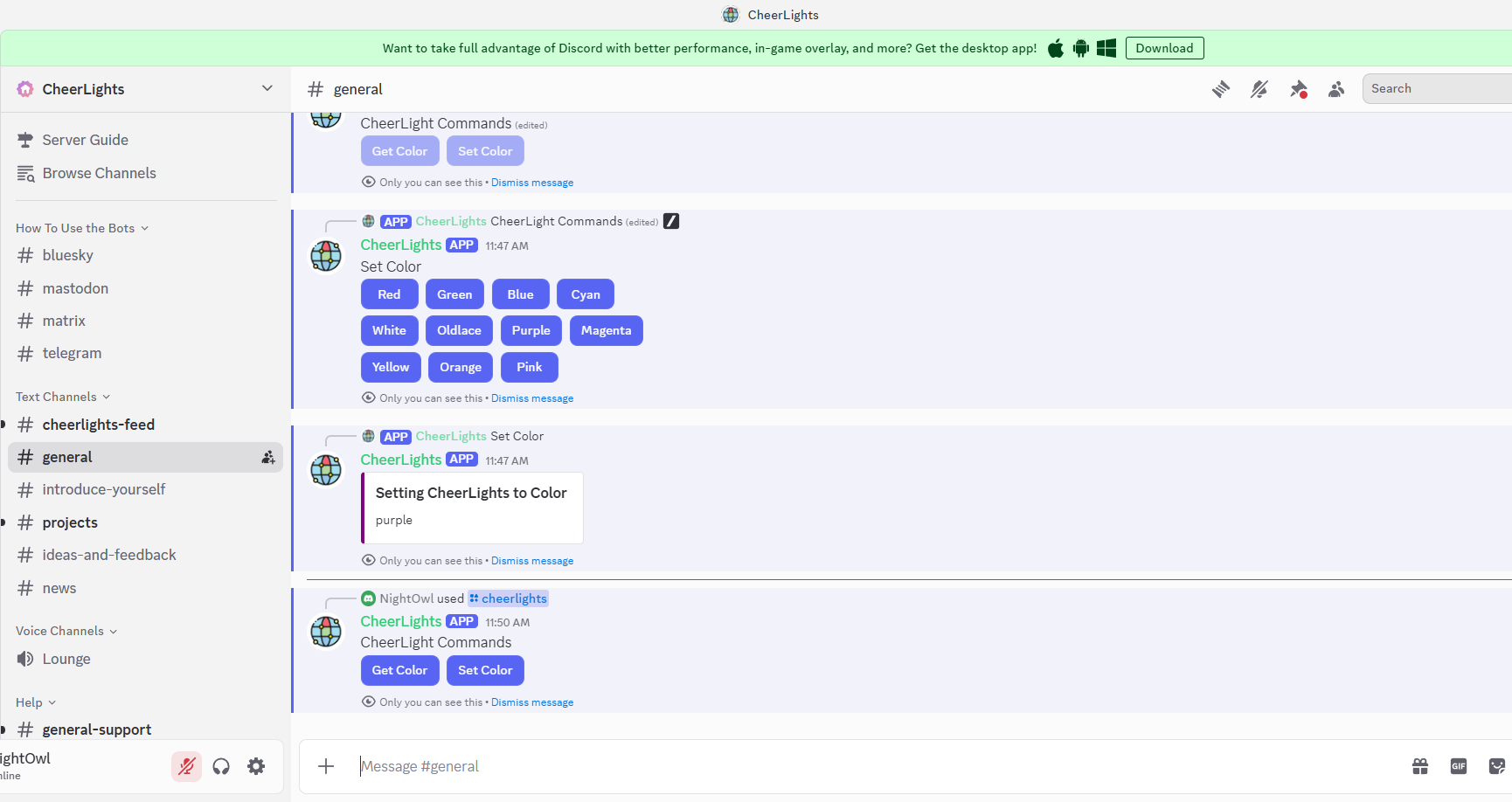
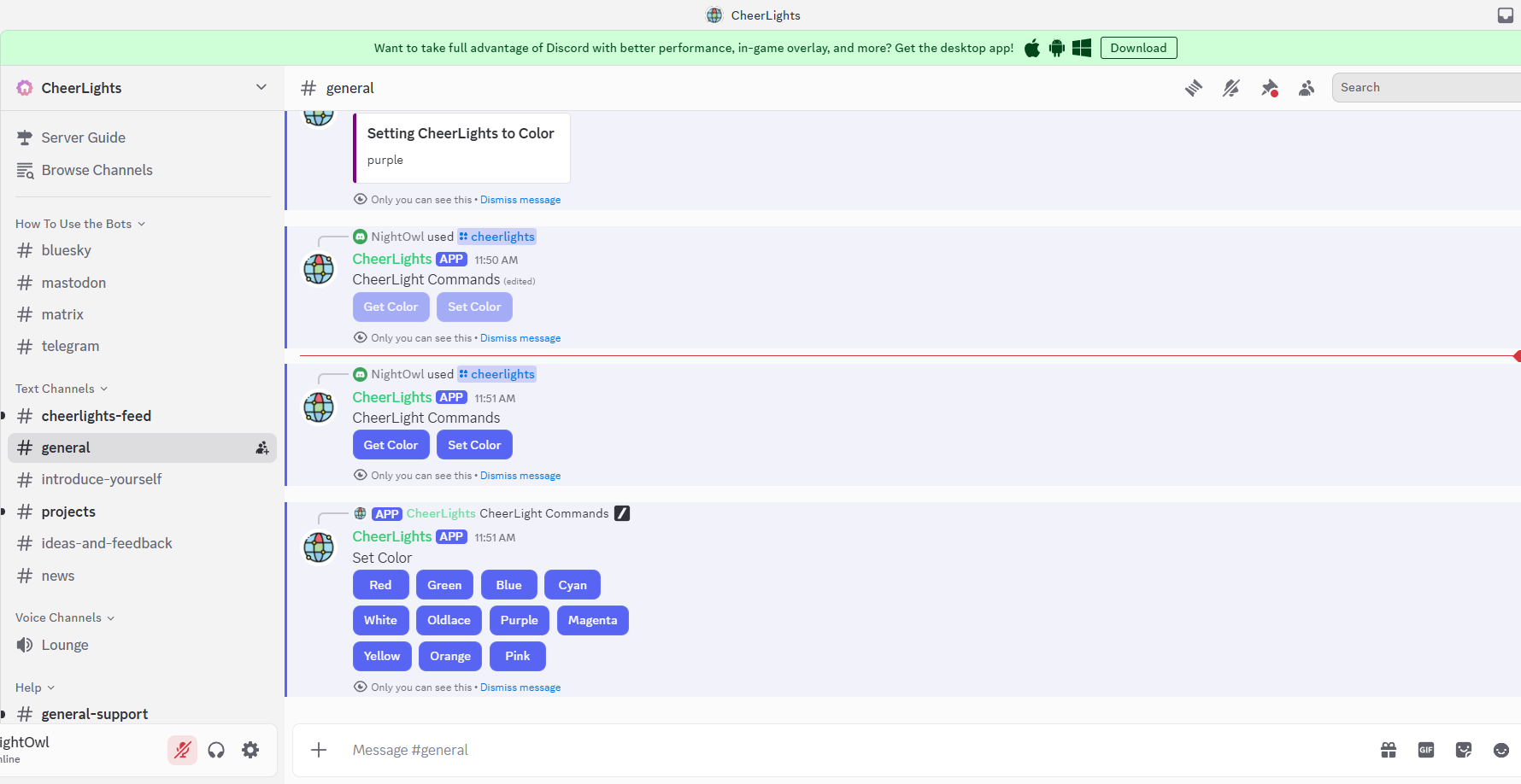
🌍 The Magic Moment: Within seconds of your selection, every CheerLights-connected LED around the world will change to your chosen color! You’re now part of a global light orchestra, conducting colors across continents.
🎨 Available Colors: The CheerLights community supports these colors: red, green, blue, cyan, white, warmwhite, purple, magenta, yellow, orange, pink, and more!
💫 Community Impact: Every time you change the color, you’re creating a moment of global synchronization - thousands of people around the world will see your color choice light up their spaces. It’s a beautiful way to feel connected to the global maker community!