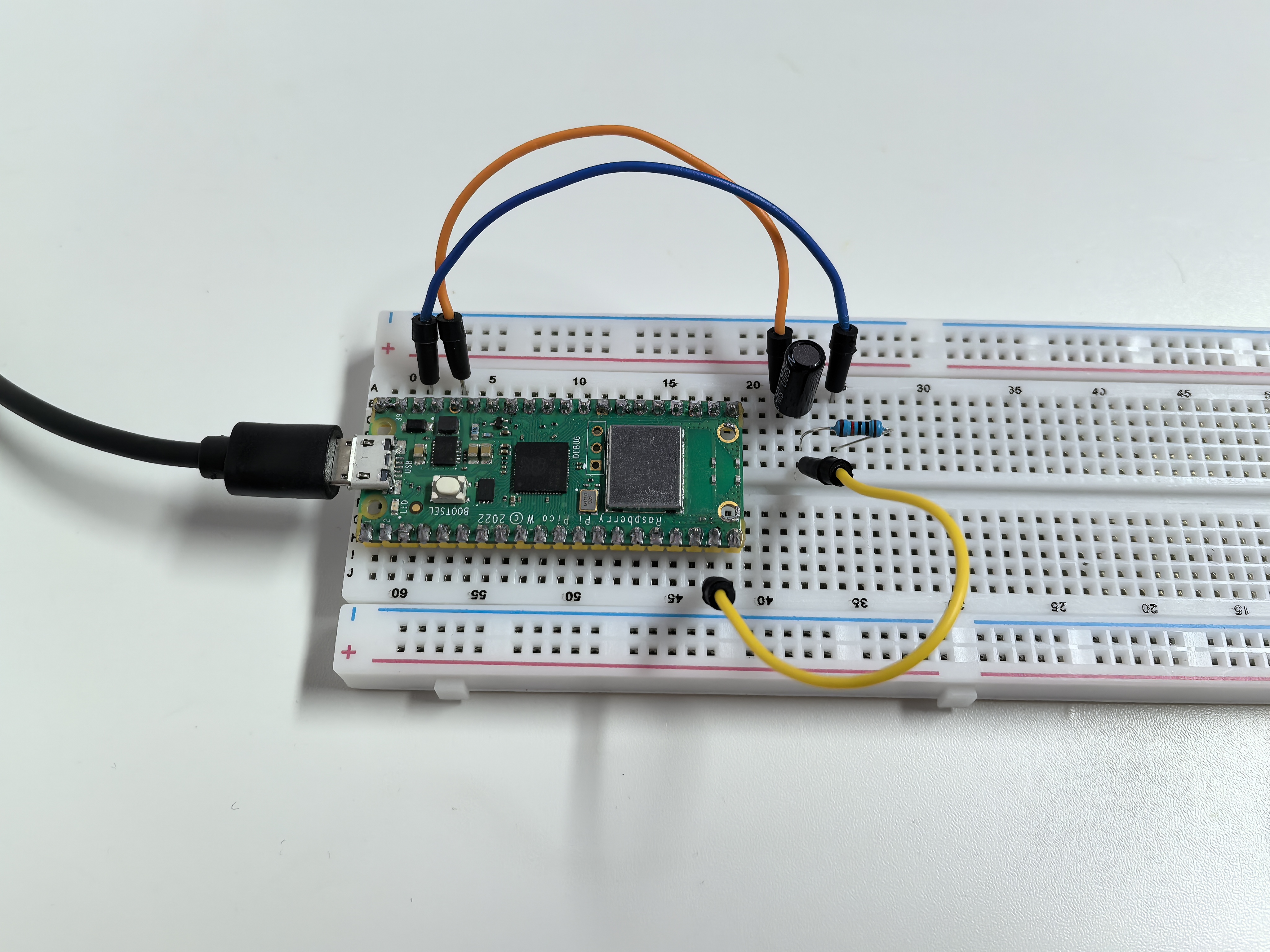
1.6 Tilt Switch
A tilt switch is like a digital “bubble level” - it detects when something is tilted! It contains a small metal ball that rolls around inside. When held upright, the ball connects two metal contacts. When tilted, the ball rolls away and breaks the connection.
This makes it perfect for detecting orientation changes, like in phone screen rotation or gaming controllers.
Component List
Raspberry Pi Pico W x1
MicroUSB cable x1
830 Tie-Points Breadboard x1
Tilt Switch x1
Resistor 10KΩ x1
Jumper Wire Several
Component knowledge
Tilt Switch
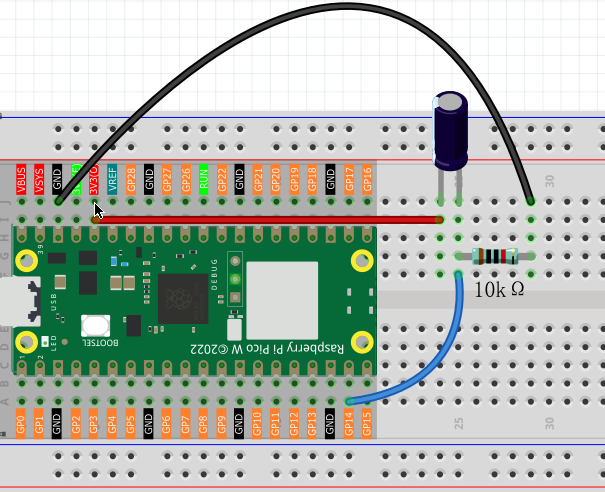
How it works with our circuit: - Upright position: Metal ball connects the pins → GP14 reads HIGH - Tilted position: Metal ball rolls away → GP14 reads LOW
The 10KΩ pull-down resistor ensures GP14 has a stable LOW signal when tilted, preventing floating voltage issues.
Connect
Code
Note
Open the
1.6_tilt_switch.pyfile under the path ofUltimate-Starter-Kit-for-Pico-W\Python\1.Projector copy this code into Thonny, then click “Run Current Script” or simply press F5 to run it.Don’t forget to click on the “MicroPython (Raspberry Pi Pico)” interpreter in the bottom right corner.
After running the code, tilt your breadboard in different directions. The serial monitor will show real-time messages when the sensor detects position changes, displaying “TILTED” or “LEVEL” with timestamps.
The following is the program code:
"""
Tilt Switch Monitor

Reads a tilt switch and reports when the orientation changes.
Shows different messages for tilt and level positions.
"""

import machine
import utime

# Pin definition - connect tilt switch to this pin
TILT_PIN = 14               # tilt switch connected to pin 14

# Timing constants
MONITOR_DELAY = 100         # delay between checks in milliseconds

# Variables to track switch state
current_state = 0           # current reading from tilt switch
last_state = 0              # previous reading to detect changes
show_welcome = True         # flag to show welcome message once

# Initialize tilt switch
tilt_switch = machine.Pin(TILT_PIN, machine.Pin.IN)

def show_welcome_message():
    """Display welcome message with initial state"""
    global last_state, show_welcome

    print("=== Tilt Switch Monitor ===")

    # Determine initial position
    initial_position = "TILTED" if last_state == 0 else "LEVEL"
    print(f"Current position: {initial_position}")
    print("Move the sensor to see changes...")
    print()

    show_welcome = False

def monitor_tilt_switch():
    """Read tilt switch and detect state changes"""
    global current_state, last_state

    # Read current tilt switch state
    current_state = tilt_switch.value()

    # Check if state changed (only act on changes, not continuous reading)
    if current_state != last_state:
        # Print timestamp for the change
        timestamp = utime.ticks_ms()
        print(f"[{timestamp}ms] ", end="")

        # Check new position and print appropriate message
        if current_state == 0:  # LOW state (tilted)
            print(">>> SENSOR TILTED <<<")
            print("Position changed to: TILTED")
        else:  # HIGH state (level)
            print("--- Sensor Level ---")
            print("Position changed to: LEVEL")

        print()  # blank line for readability

        # Remember this state for next comparison
        last_state = current_state

def initialize_system():
    """Initialize the tilt monitoring system"""
    global last_state

    # Read initial state
    last_state = tilt_switch.value()

def main():
    """Main function"""
    global show_welcome

    # Initialize system
    initialize_system()

    try:
        while True:
            # Show welcome message once at start
            if show_welcome:
                show_welcome_message()

            # Monitor tilt switch for changes
            monitor_tilt_switch()

            # Small delay for stability
            utime.sleep_ms(MONITOR_DELAY)

    except KeyboardInterrupt:
        print("\nTilt switch monitoring stopped.")

        # Show final state
        final_position = "TILTED" if current_state == 0 else "LEVEL"
        print(f"Final position: {final_position}")

if __name__ == "__main__":
    main()
Phenomenon